CromoViewer#
Hardware requirements#
Being a browser based application, CromoViewer is not limited to a certain operating system. It can run on any desktop, laptop or tablet.
Does it run on my smartphone?#
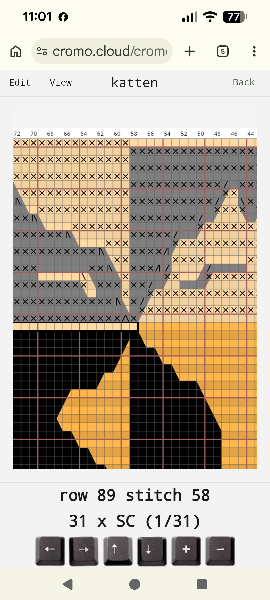
Actually, yes it might. Although it initially was not our intention to create a smartphone app, we did the necessary adaptation so that you can follow the pattern you are working on even on a small smartphone screen (you will just need to know the used abbreviations for each stitch type, like SC for single crochet, DC for double crochet, etc.) This will allow you to continue crocheting while traveling!
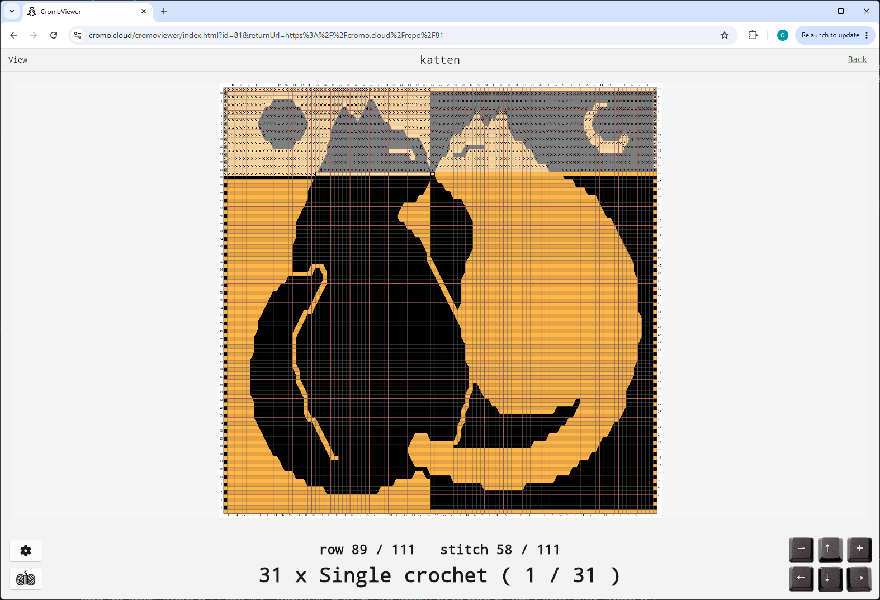
Show screenshots
Do I need a foot pedal to use CromoViewer?#
Aha, good question! No you don't need that, but it's actually a very good idea to consider buying a Bluetooth page turner pedal if you plan to crochet regularly using CromoViewer. Such a foot pedal can be bought for a very low price these days, and it allows you to progress through the pattern while keeping both hands free for what matters: your crochet work.
CromoViewer lets you progress through the pattern using the arrow keys (left/right or up/down) or, for tablets without keyboard, by clicking the virtual arrow keys shown on the CromoViewer main screen. A foot pedal can perform the left/right clicks, allowing you to move through the pattern stitch by stitch. The up/down keys are likely to be your preferred choice when using a keyboard: they proceed one "stitch type" at a time, whilst the text indicates how many stitches of that type are next.
Supported browsers#
CromoViewer has been tested on the most recent version of the mainstream browsers: Chrome, Edge, and Safari.
Safari added support for the used technology in version 16. This results in a minimum OS requirement of macOS13 and iPadOS16