Pattern formats
Once you have created a mosaic crochet pattern, you can share or sell it in different formats. There are a few standard ways of describing a pattern
Written pattern#
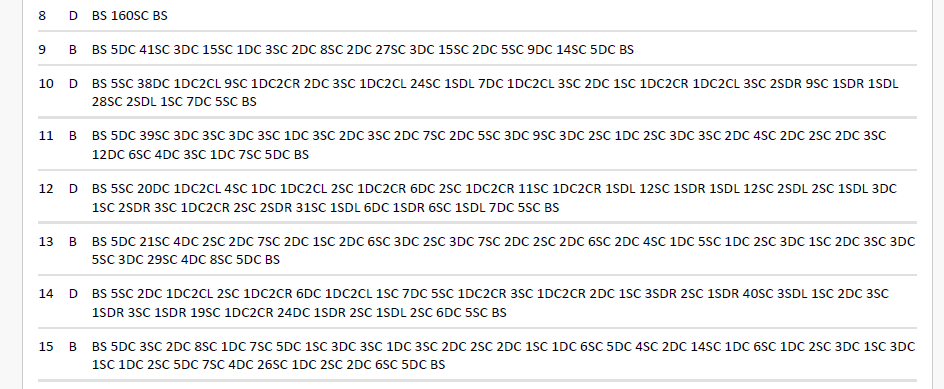
Unfortunately there is no standardized language for describing a pattern in written form. Most designers provide a written pattern with a kind of key, so that the crocheter knows how to read the pattern. The written pattern consists of a large number of long lines of text, in which each symbol indicates a specific stitch type, preceded or followed by the number of times the stitch must be repeated.
You will understand that creating such a written pattern by hand is a very tedious job. Fortunately, CromoDesigner allows you to generate a text pattern with just one button click. The result can be downloaded as a plain text file or a PDF, the content looks like this :
Show screenshot
Grid-like chart#
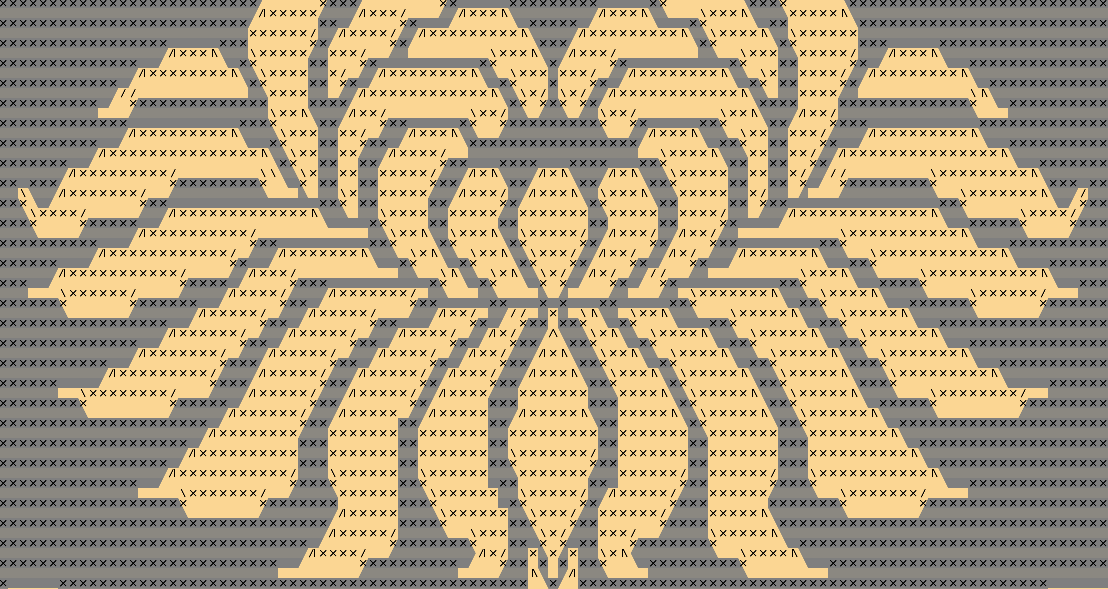
Another popular way to distribute crochet patterns, less cryptic than those written patterns, is by using a graphical chart. It's a large grid, with each cell representing one stitch. Each stitch type is represented by a certain symbol, which is shown in each of the grid cells. Major disadvantage of this representation is that for large designs it can result in a huge grid, which needs to be printed out on a large enough scale to clearly view all the different stitch symbols. This can require dividing the grid in multiple parts so that they can be printed out on multiple pages.
CromoDesigner and CromoViewer both use the same grid-like representation to show the pattern on the screen, both during designing and during crocheting. But CromoDesigner also offers the possibility to save this grid view with stitch symbols as an image file or PDF file, so that it can be printed out for people who don't have a computer to use CromoViewer.
Show screenshot
the "Cromo Cloud approach"#
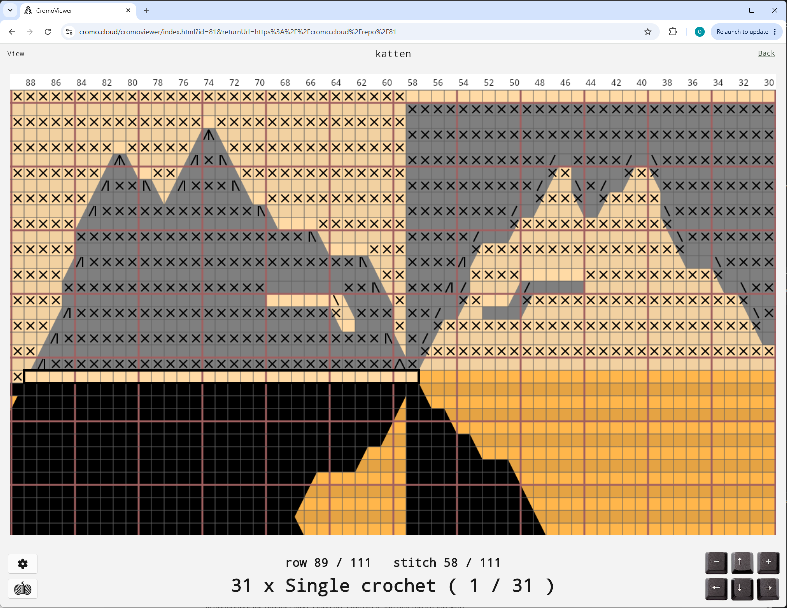
Today we live in a digital world, aiming for a paperless world too. CromoDesigner and CromoViewer show your patterns on screen as a grid you can zoom and pan to see the whole piece or focus on individual stitches. The stitch info can be hidden during the design phase, to make CromoDesigner behave like a regular drawing application. While crocheting on the other hand, the stitch info is essential. CromoViewer not only shows the pattern chart with stitch symbols, but also combines this with clear text indicating which stitches come next. Very similar to the written pattern, but much less overwhelming, only showing what's relevant now.
Show screenshot